Lab review
See the story behind the results
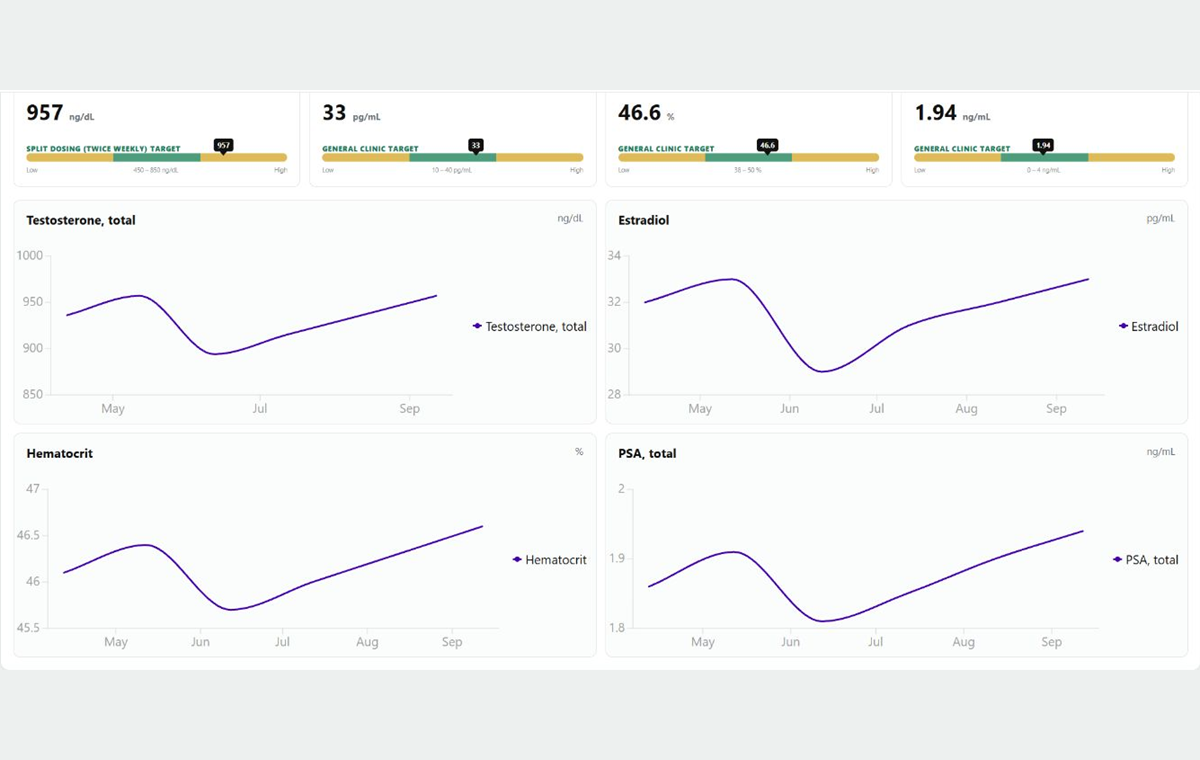
Explore lab results and varied trends together, with graphs that make meaningful changes over time easy to follow.
 Optimize EMRDemo Environment
A focused clinic workflow, from schedule to follow-up.Review the purpose-built operational, clinical, communication, and patient experience using fictional records only.
Authorized demo access
Authentication is handled by Microsoft Entra. Do not enter real patient information in this demonstration environment.
A look inside Optimize EMR
Explore seven moments from the working demo.
Every screenshot uses fictional records.
Lab review
Explore lab results and varied trends together, with graphs that make meaningful changes over time easy to follow.
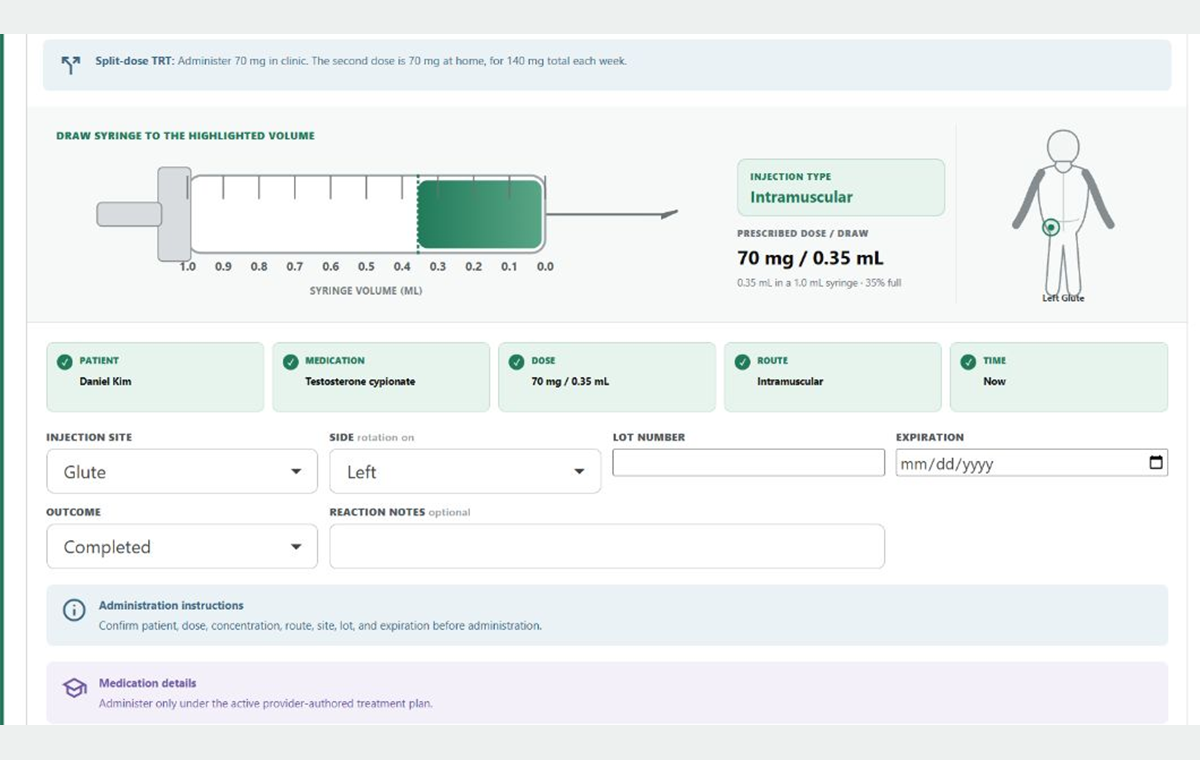
Medication administration
See the prescribed draw on a syringe, confirm the route and injection site, and complete the five-rights check—visual reminders designed to improve accuracy and reduce avoidable errors.
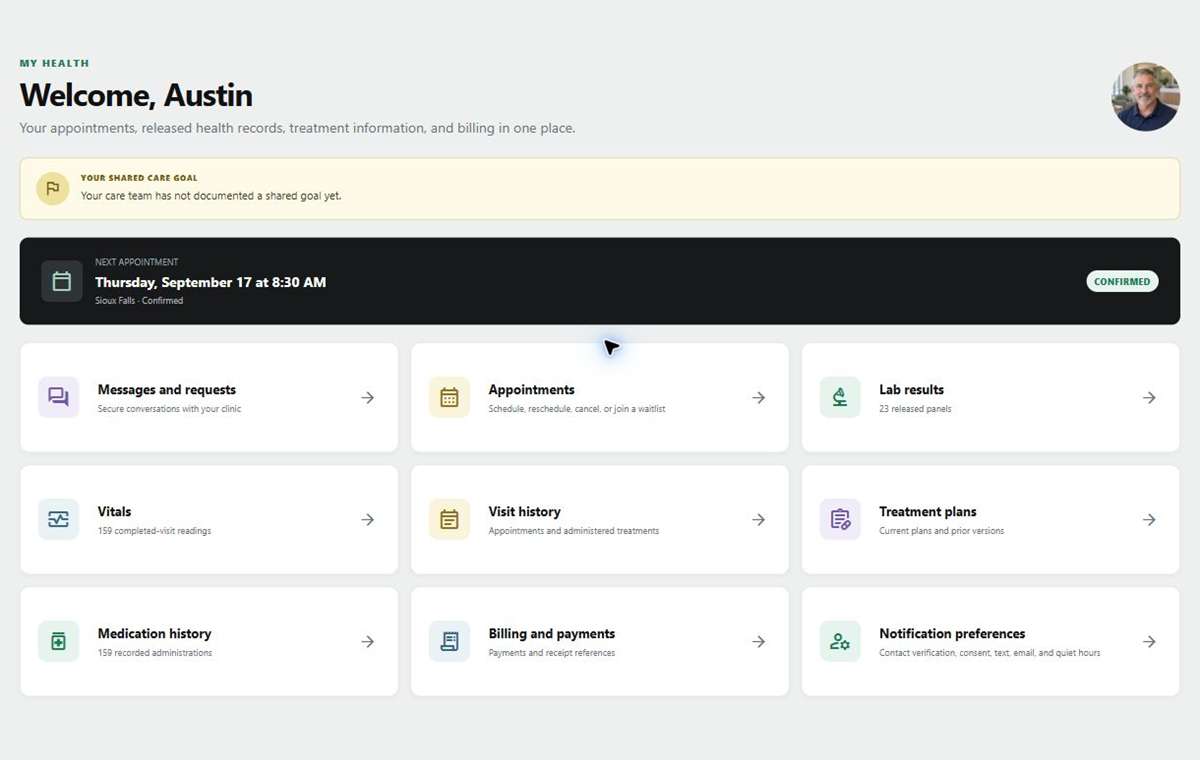
Patient portal
My Health brings appointments, released results, vitals, treatment information, and secure messages together.
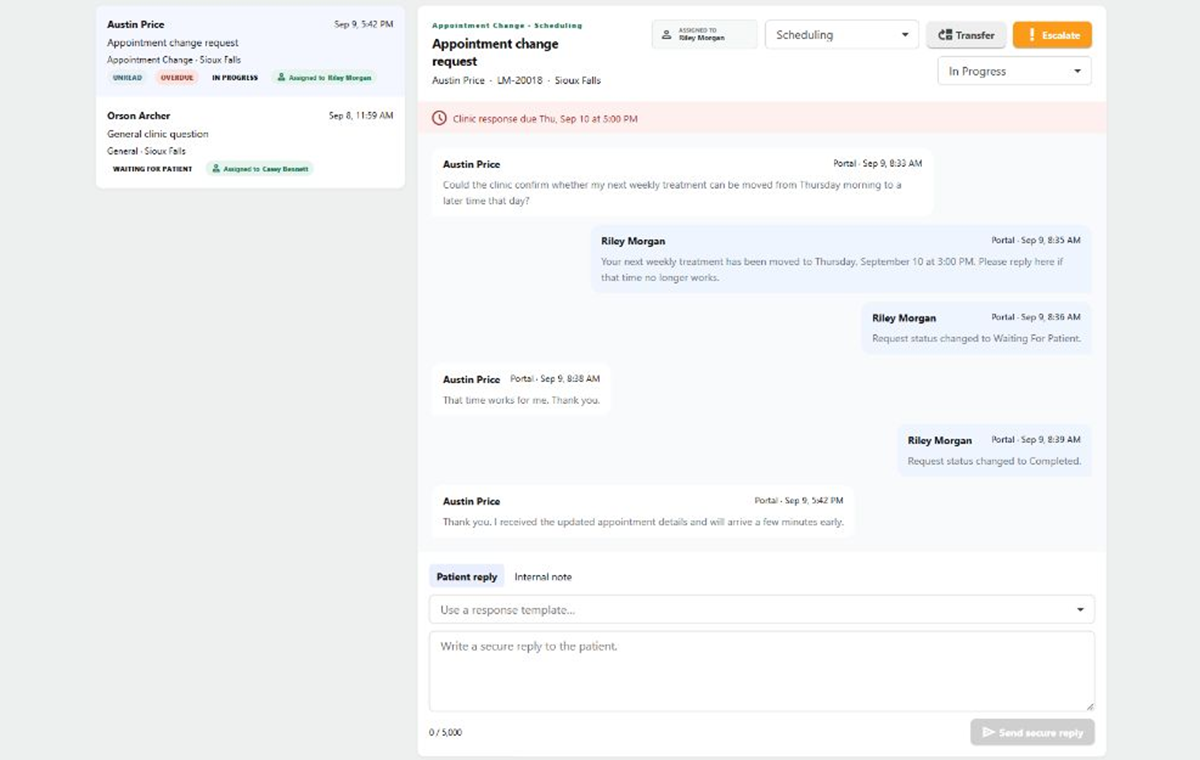
Patient communications
Bring patient conversations and follow-up into the clinic workflow.
Front desk
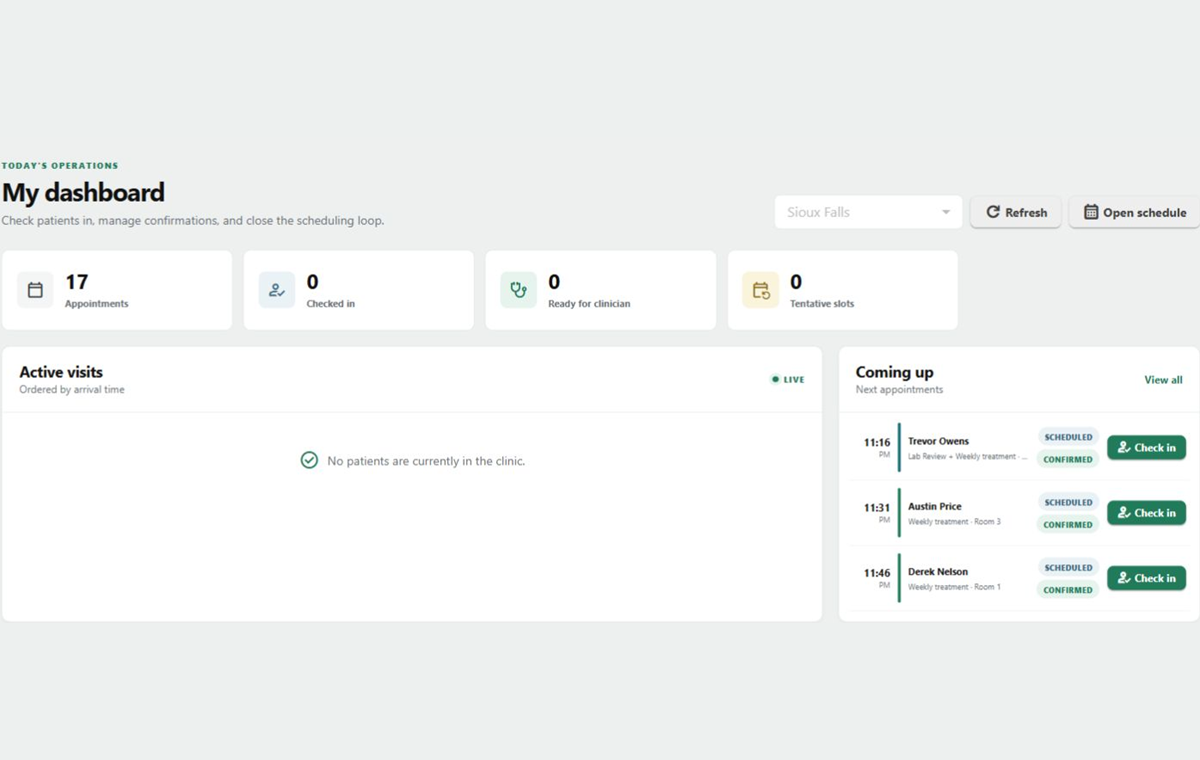
See the live clinic flow, confirmed upcoming patients, and one-click check-in actions together on the front-desk dashboard.
Scheduling
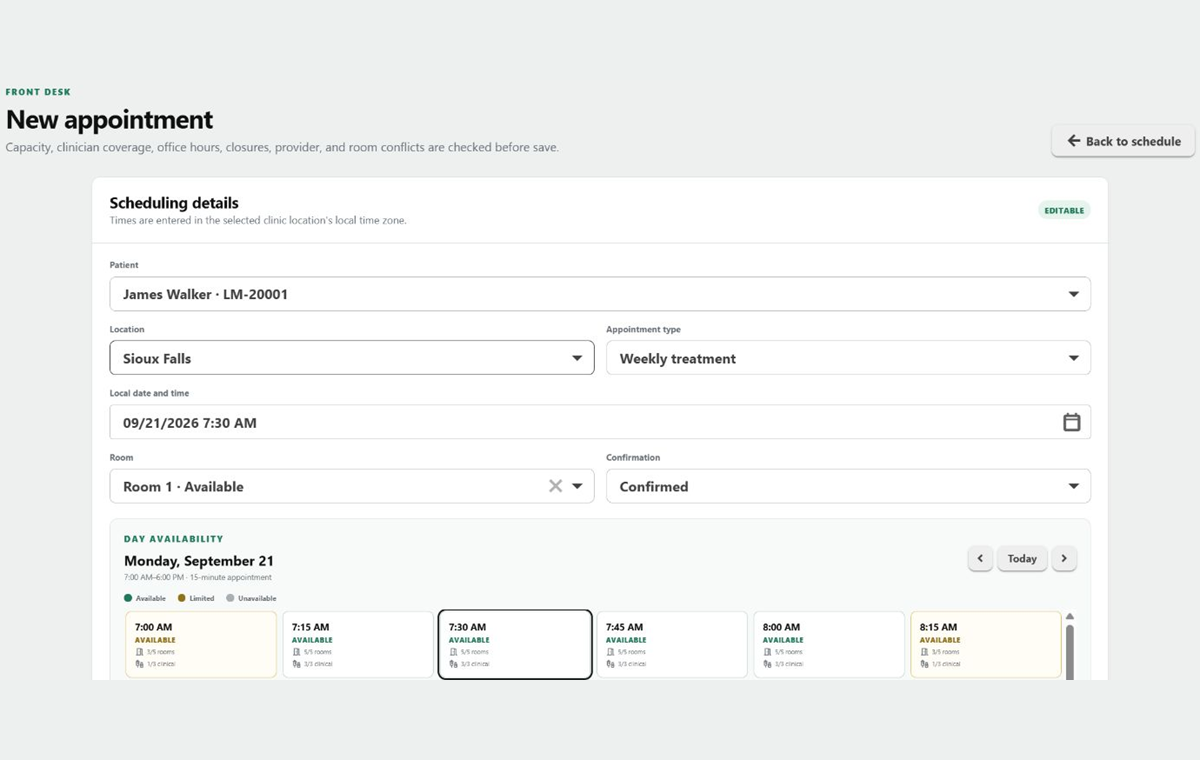
Choose the patient, visit type, clinic, and appointment time in a guided scheduling form.
Business insights
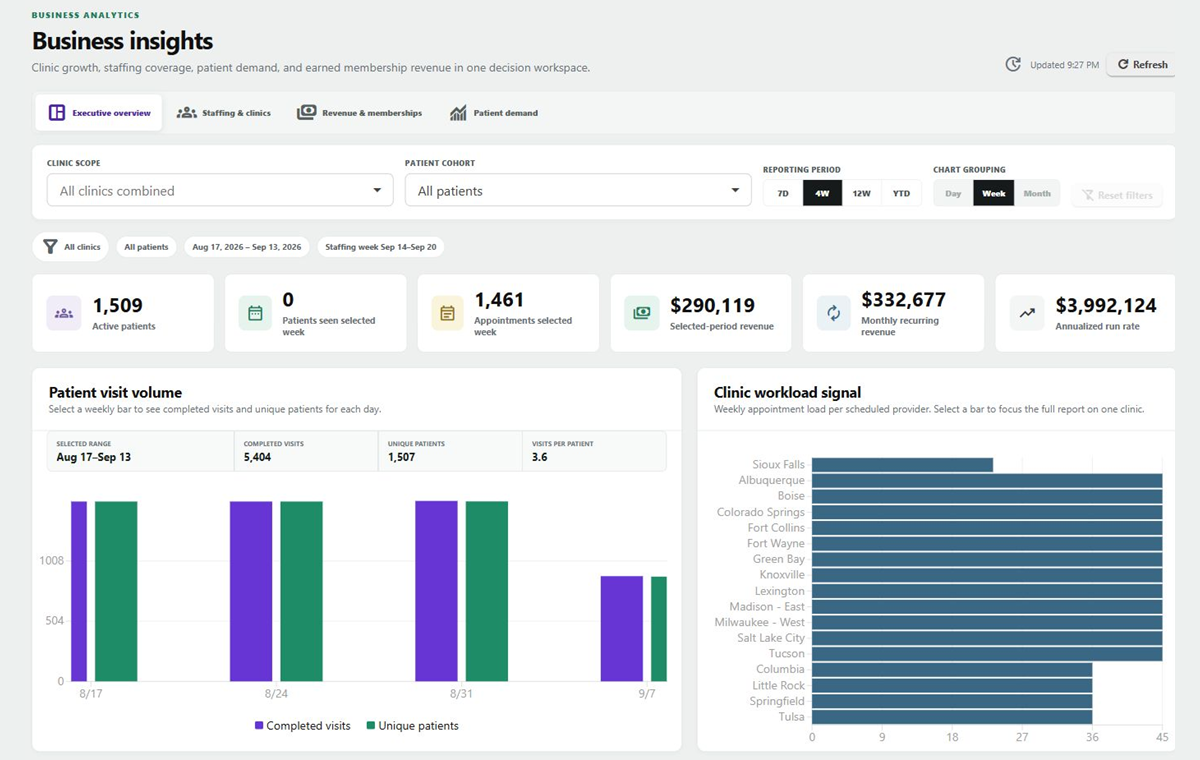
Review the big picture with business metrics and visual trends across the practice.
Screenshots from the working Optimize EMR synthetic demo · Select any image for a closer look