FOR MEN’S AND WOMEN’S HORMONE OPTIMIZATION CLINICS
One EMR for men’s and women’s optimization care.
Testosterone therapy, menopause and women’s hormone care, sexual wellness, and peptide therapy in one connected clinic workflow: recurring appointments, guided treatment visits, lab review against your own optimal ranges, patient conversations, and business insights. See how the day fits together with fictional records in this demo.
Actual product screen · Fictional demonstration data View full size ↗
CARE PROGRAMS
Purpose-built for the care you deliver
Set each location up for men’s care, women’s care, or both. The charts, treatment catalog, lab ranges, and visit steps follow that choice, so staff only see what applies to their patients.
Men’s hormone optimization
Weekly and split-dose testosterone therapy with the safety checks built into the visit.
Dose, draw volume, and syringe guide from the plan
Injection-site rotation and five-rights check
Targets by dosing protocol, with an optimal band
Women’s hormone and menopause care
Menopausal and perimenopausal hormone therapy with the reproductive context beside every decision.
Menopause stage, cycle, and reproductive history
Home regimens: patches, oral, and topical therapy
Ranges by stage, cycle phase, and therapy
Sexual wellness and peptide therapy
Add wellness therapies to the same plan, visit, and follow-up as hormone care.
Clinic-administered or home self-administered
Dose changes kept as dated plan versions
Per-clinic catalog of what you offer
WOMEN’S CARE
Menopause and hormone care, with the context that matters
Women’s care is part of the same system, not a bolt-on. A women’s clinic and a combined clinic share the scheduling, visits, labs, inbox, and portal shown in the tour.
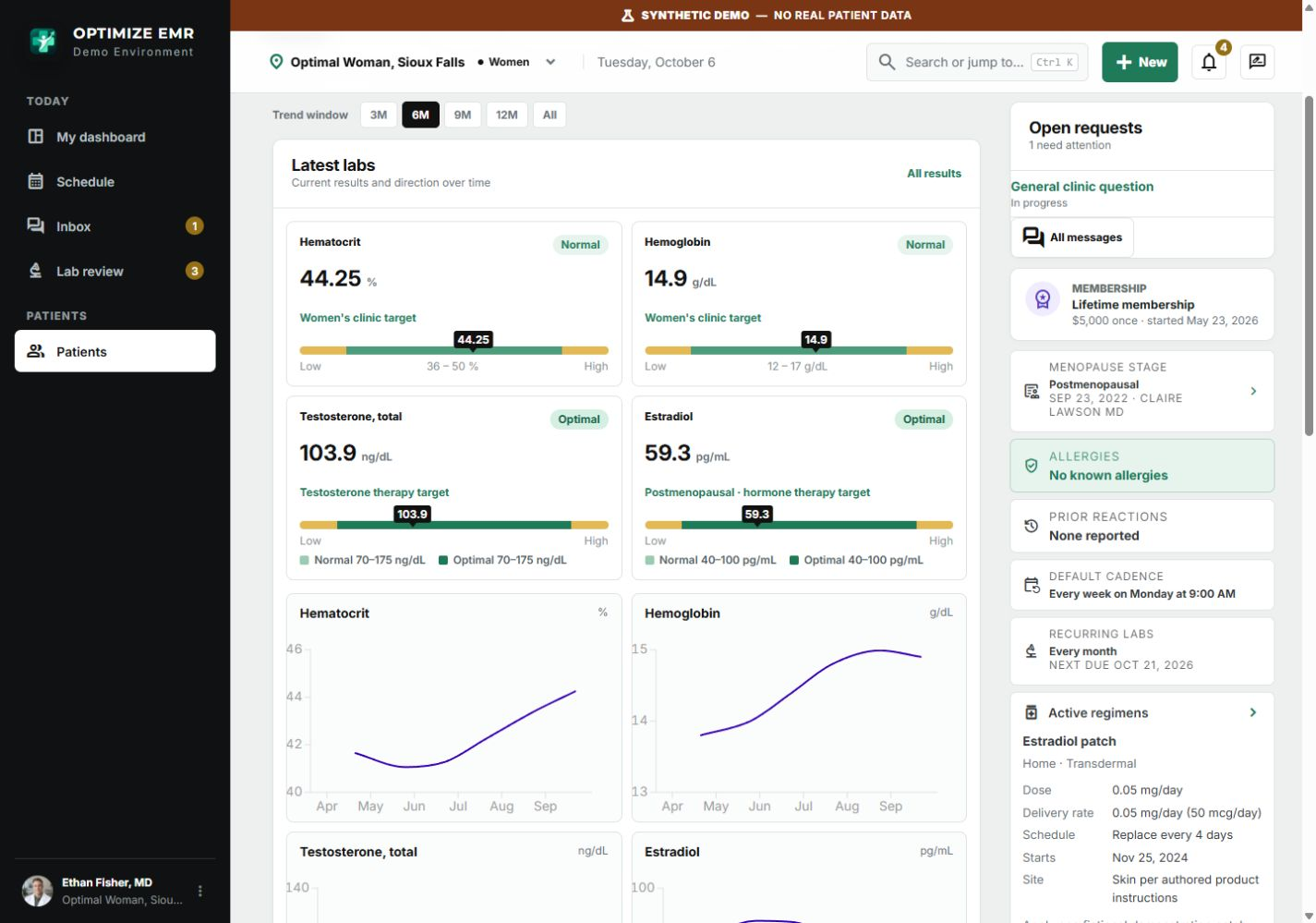
Reproductive and menopause context on the chartStage, cycles, last period, pregnancy status, uterus and ovaries, contraception, and devices, with a dated history of changes.
Home regimens the team can followPatches, oral progesterone, and topical therapy are recorded with their dose, schedule, and instructions. Patients can log each use in the portal.
Visits that fit the therapyWeekly monitoring visits review symptoms and adherence. No injection step appears when therapy is taken at home.
Lab ranges that fit the patientResults are read against ranges for her menopause stage, cycle phase, and therapy, including an optimal range for women on testosterone therapy.
Check-ins and educationMenopause and wellness check-ins, consents, and patient instructions are versioned and kept with the chart.
Women’s chart · Fictional demonstration data View full size ↗Women’s results against her ranges · Fictional demonstration data View full size ↗
A CONNECTED CLINIC DAY
From the first arrival to the next follow-up
Open each step to see the product in context. Select a screenshot to view it at full size. Every record shown is fictional.
01Start with what needs attention⌄
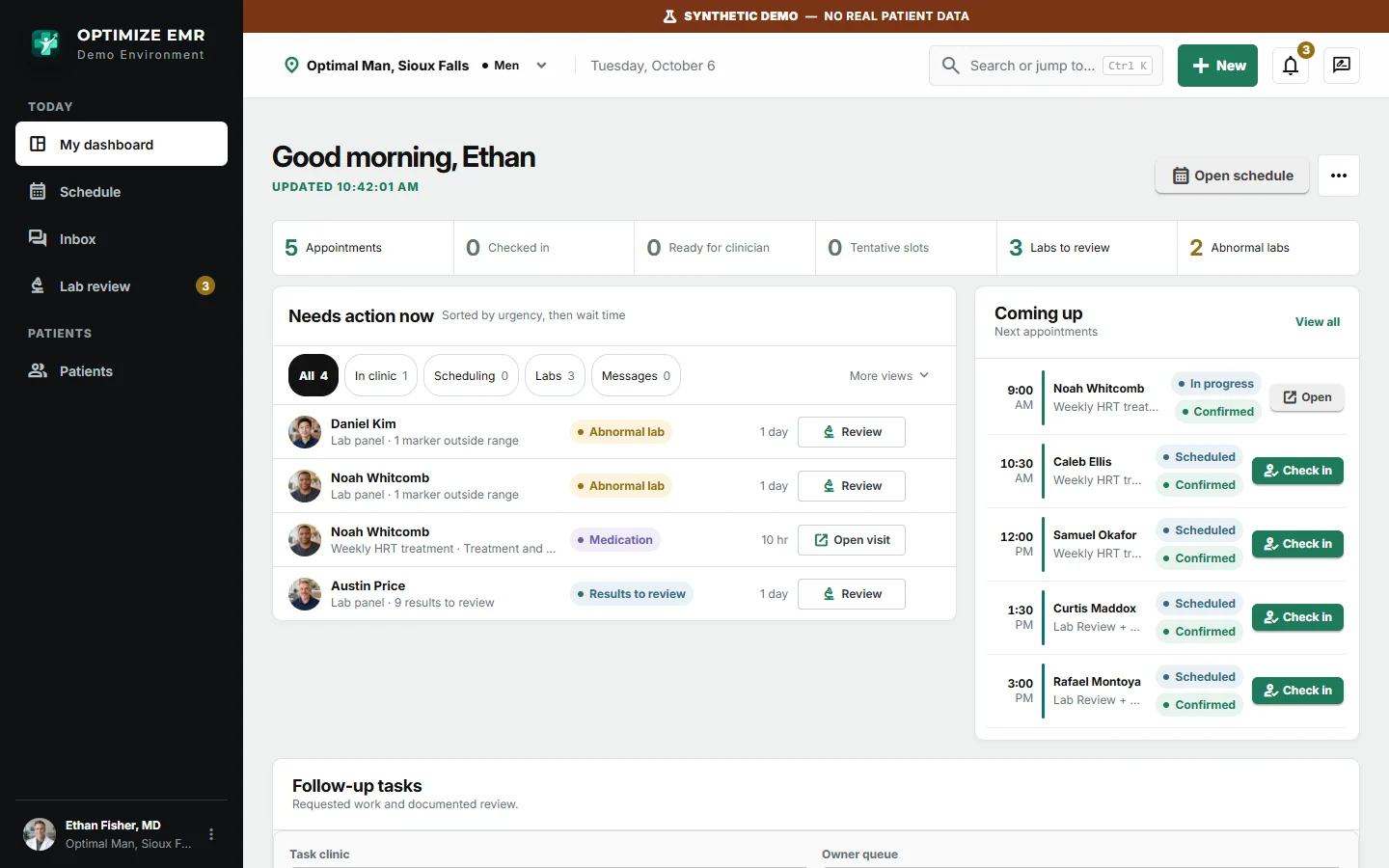
Role-based dashboards bring arrivals, lab reviews, patient replies, and unfinished visits into a queue sorted by urgency and wait time.
Actual product screen · Fictional demonstration data View full size ↗02Book around real capacity⌄
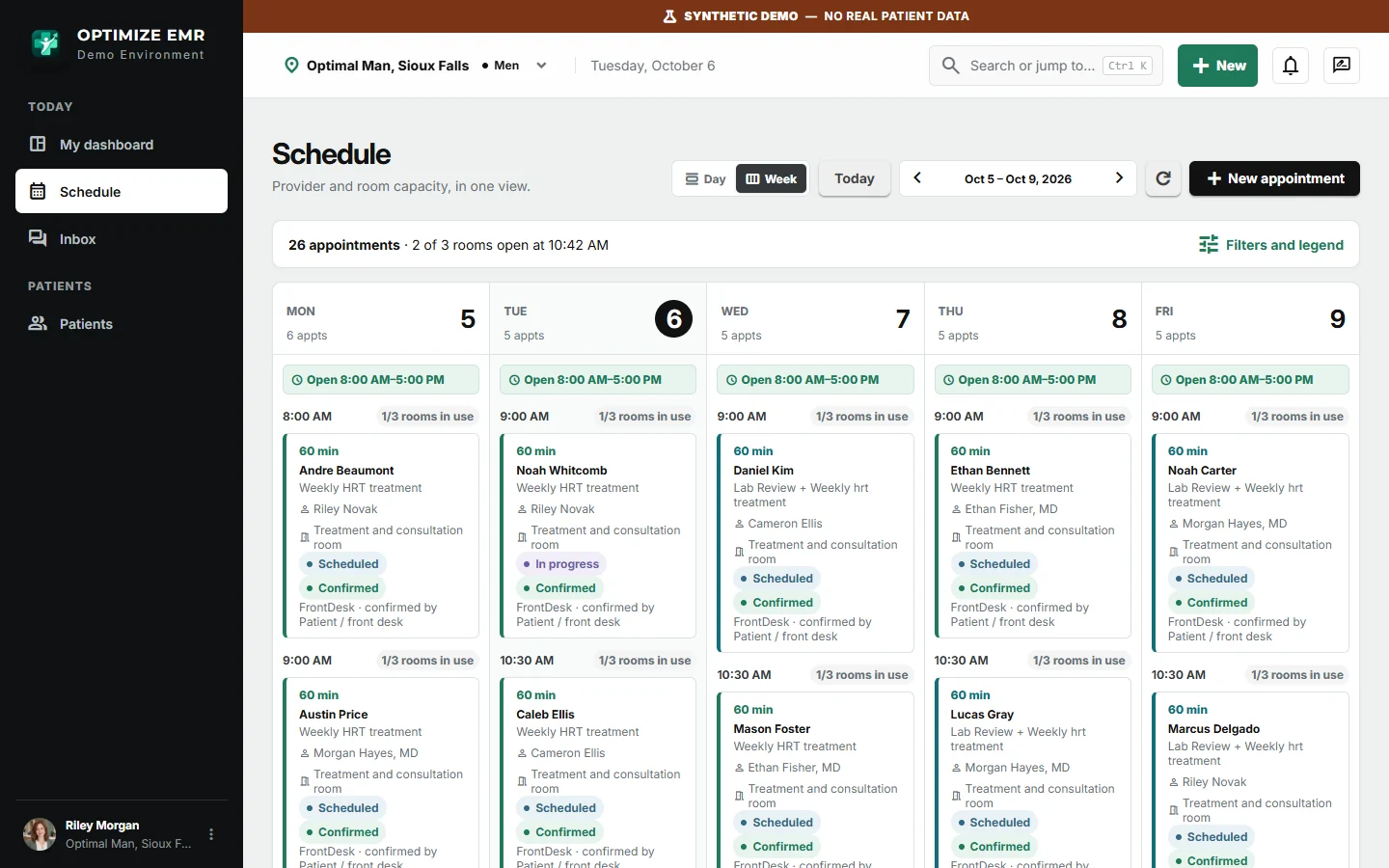
See the week by clinic day with each visit's type, provider, room, and confirmation. Room and provider conflict checks help staff book recurring treatment visits and follow-ups.
Actual product screen · Fictional demonstration data View full size ↗03Work through a guided visit⌄
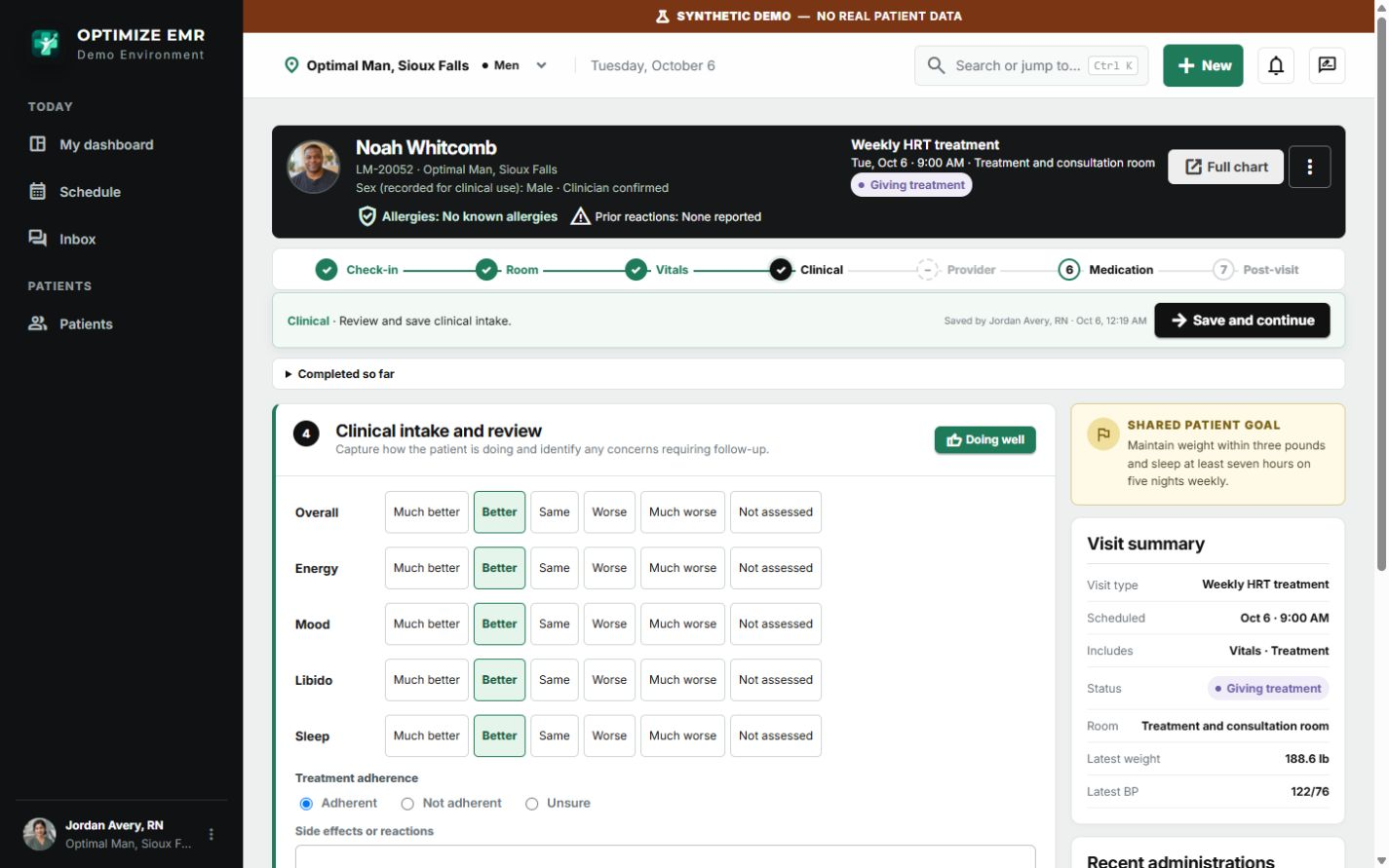
Move through check-in, room assignment, vitals, clinical intake, provider review, medication, and post-visit notes in one workspace. Steps that do not apply to a visit, such as an injection for a patient on home therapy, are left out.
Actual product screen · Fictional demonstration data View full size ↗04Document the planned treatment⌄
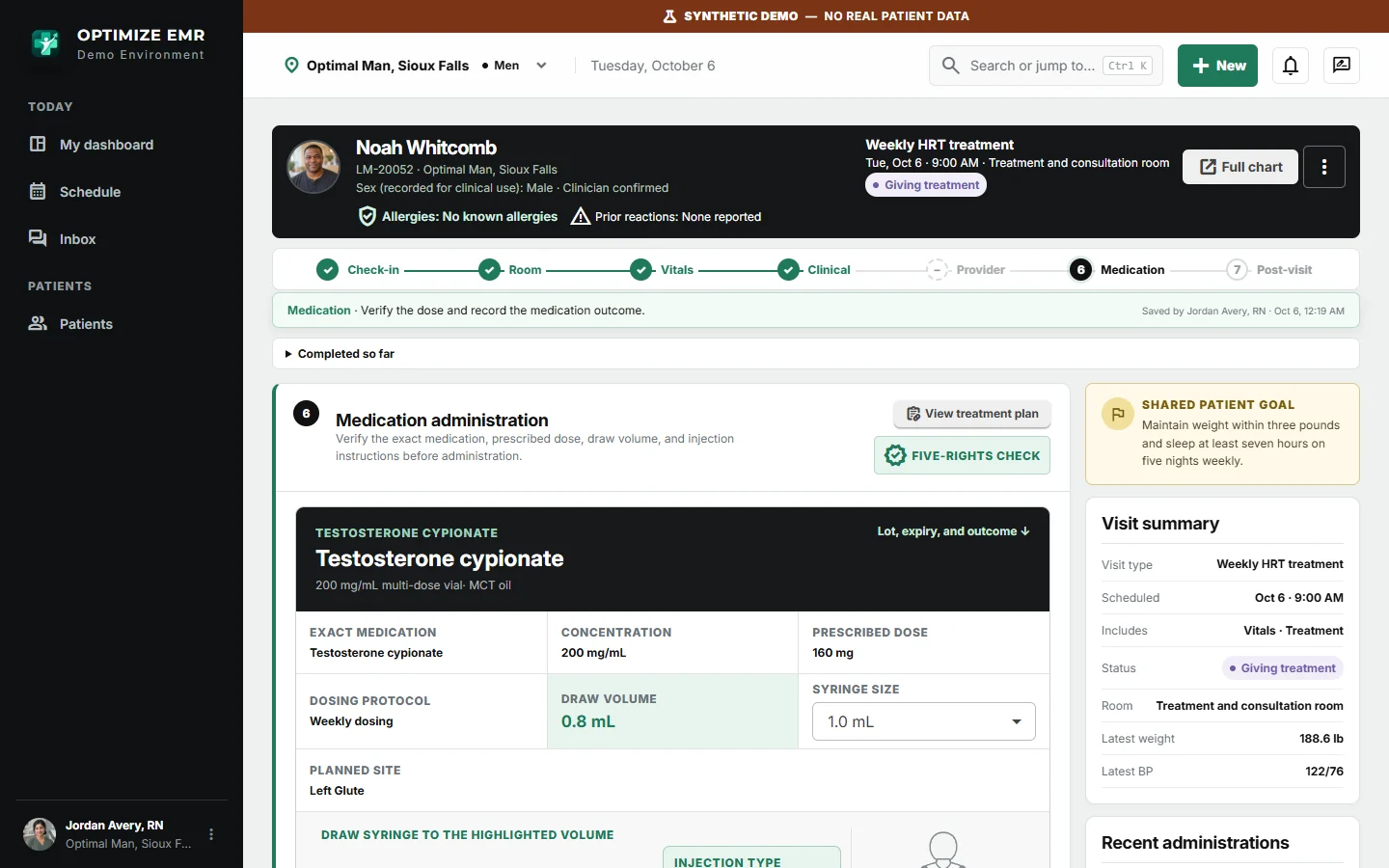
Keep the provider-authored plan, dose, draw volume, syringe visual, and planned injection site together. Record administration checks, lot, expiration, and outcome as part of the visit.
Actual product screen · Fictional demonstration data View full size ↗05Review labs against your optimal ranges⌄
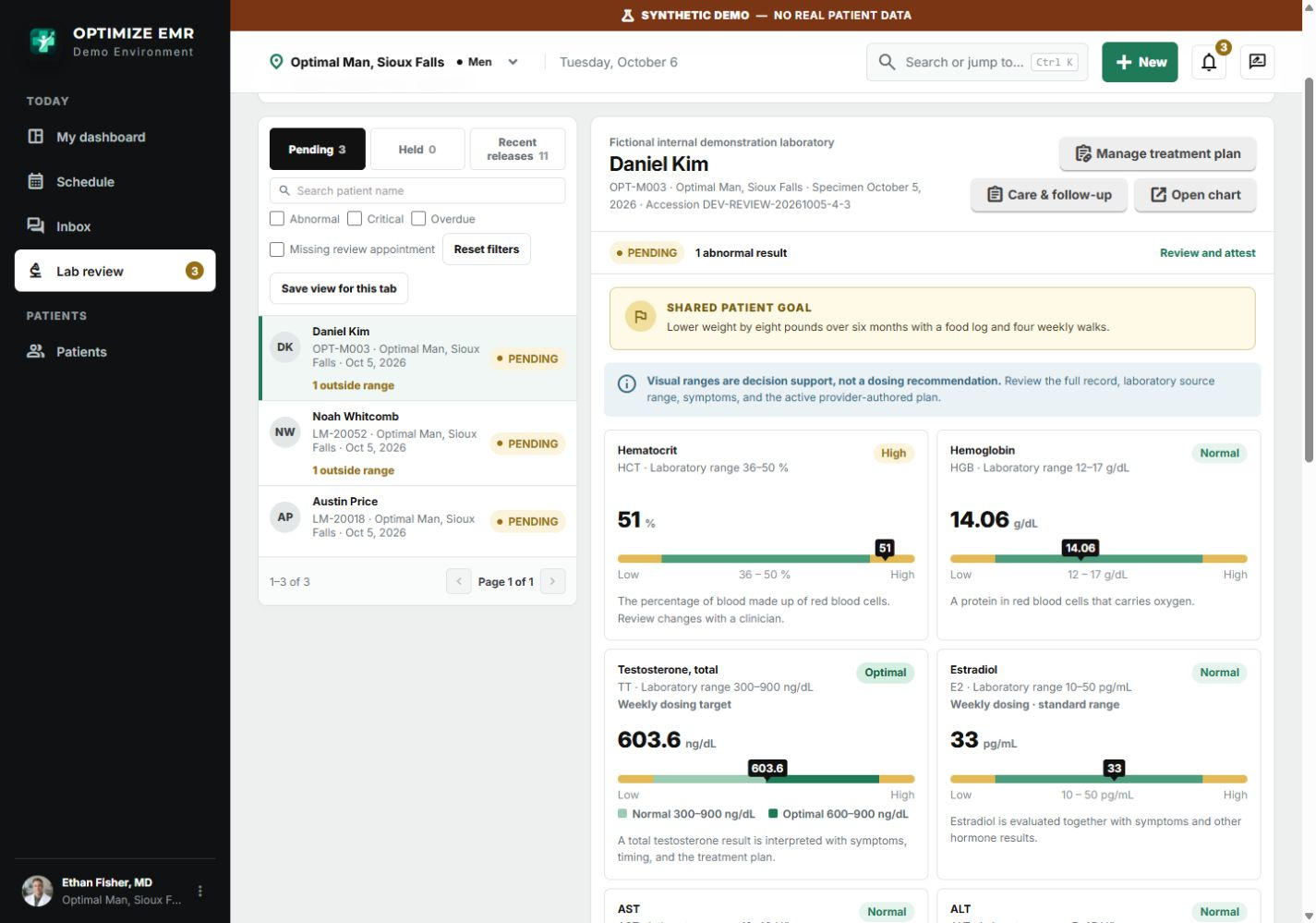
Review pending results with flags and banded bars that show the clinic's normal range and its optimal range. Ranges can differ by dosing protocol for men and by menopause stage, cycle phase, and therapy for women. Providers attest and release results to the patient portal, or hold them with a note.
Actual product screen · Fictional demonstration data View full size ↗06Manage every therapy in one plan⌄
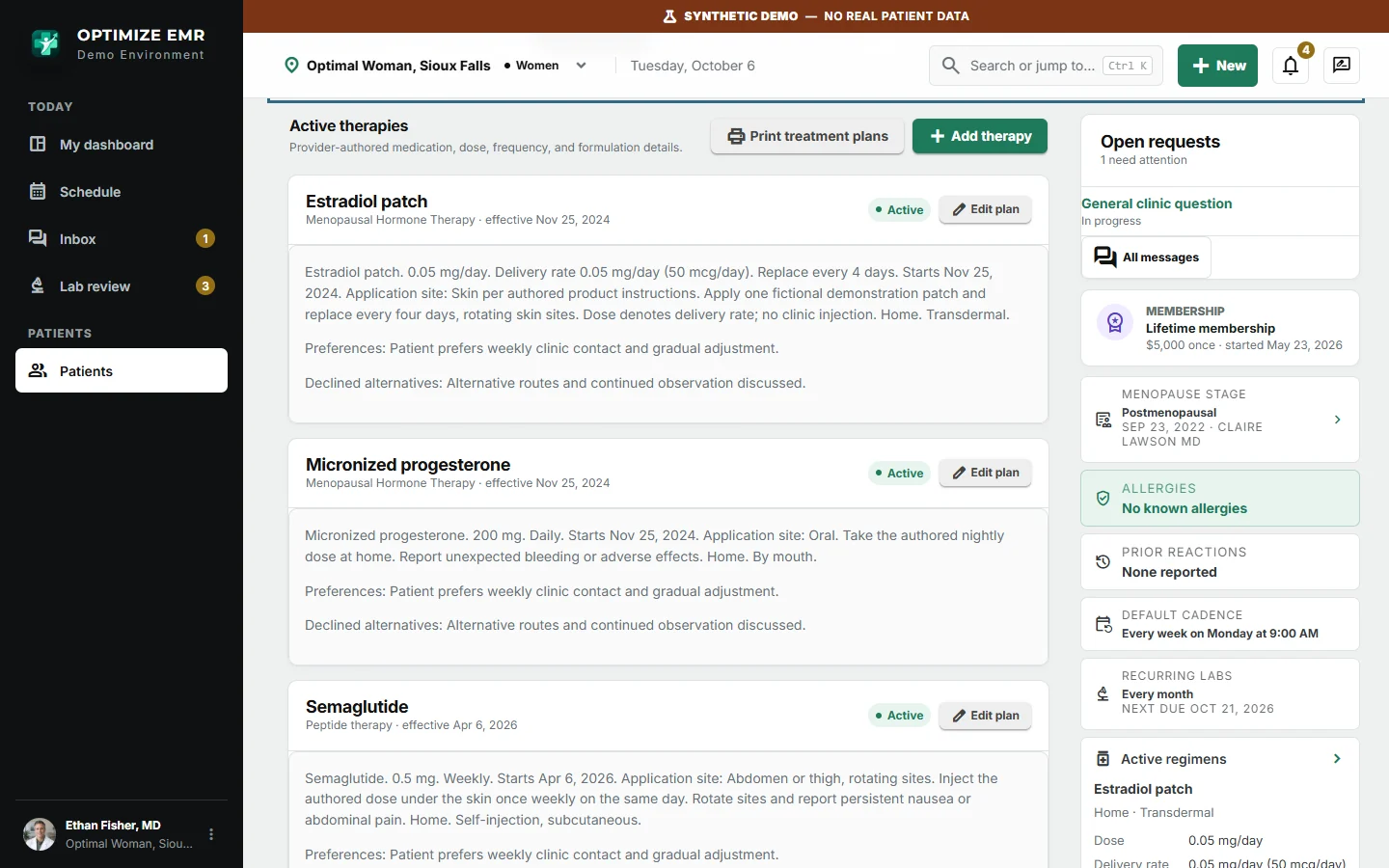
Testosterone, menopausal hormone therapy, sexual wellness treatments, and peptide therapy sit side by side in the chart, each with its dose, schedule, and a dated history of every change.
Actual product screen · Fictional demonstration data View full size ↗07Keep follow-up in one inbox⌄
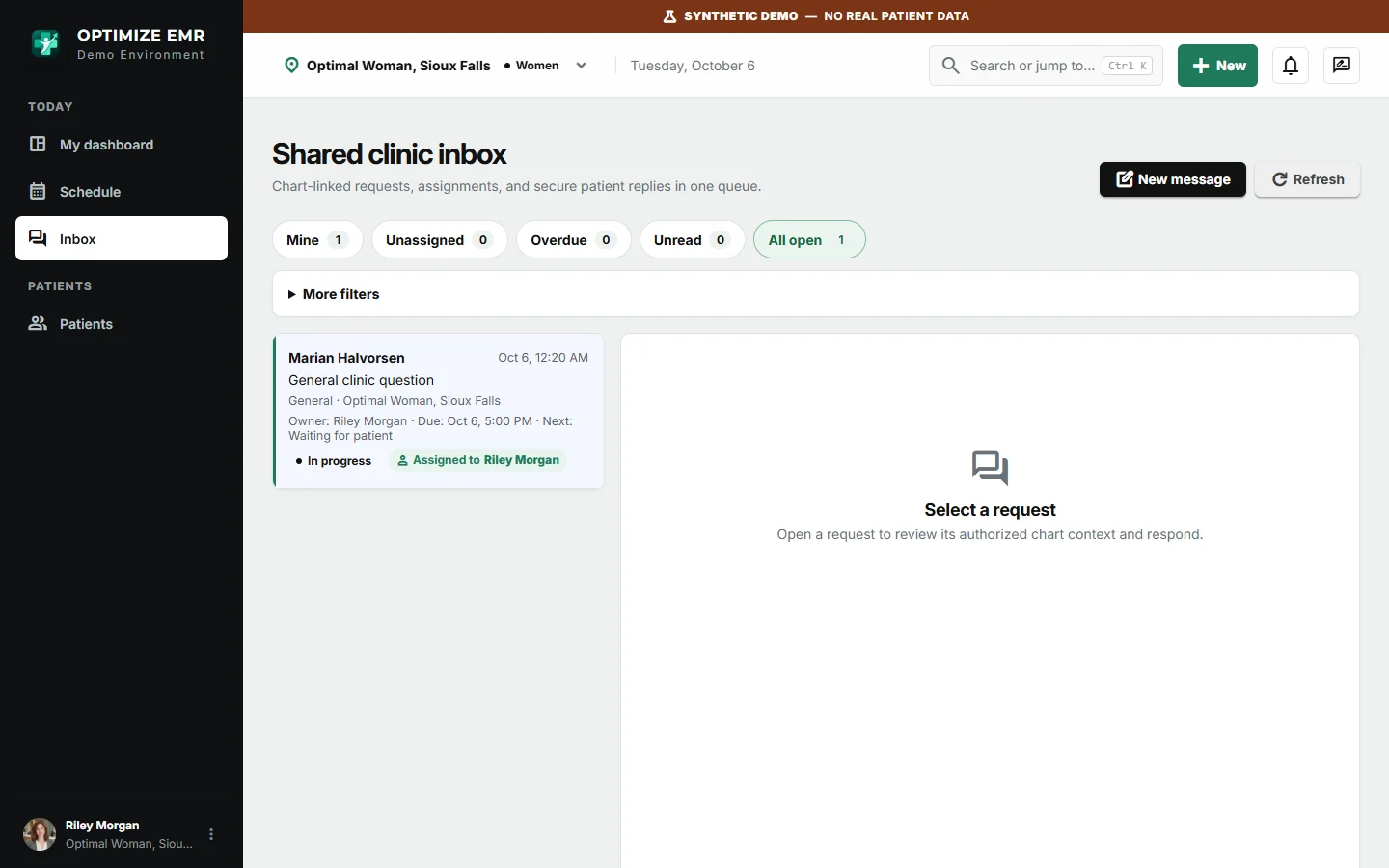
Chart-linked conversations bring patient questions and requests to the care team, with assignment, staff mentions, and shared context for the next person covering.
Actual product screen · Fictional demonstration data View full size ↗08See the whole business⌄
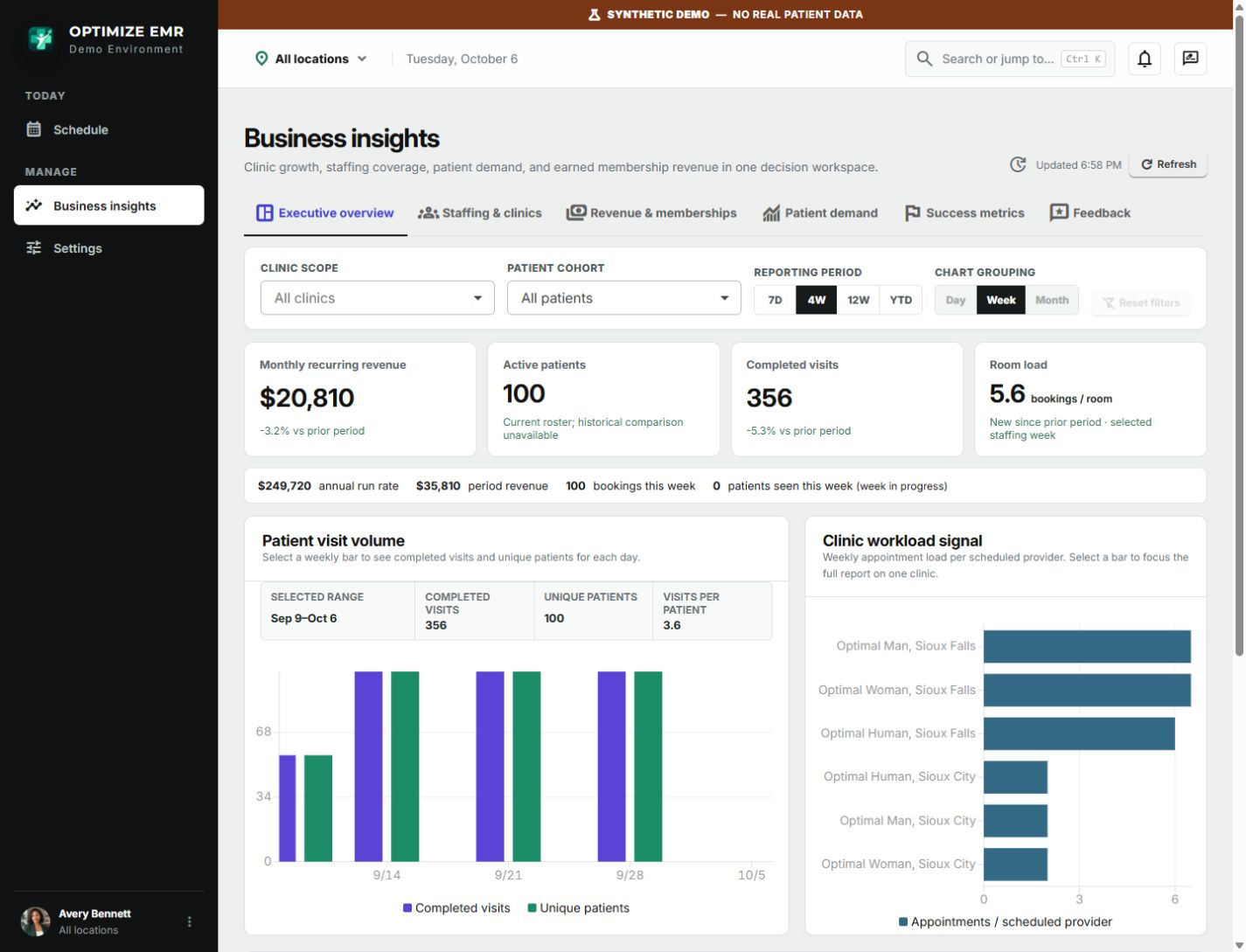
Compare visit volume, room load, staffing, memberships, and recurring revenue across locations from the same work the team records each day.
Actual product screen · Fictional demonstration data View full size ↗09Give patients a view between visits⌄
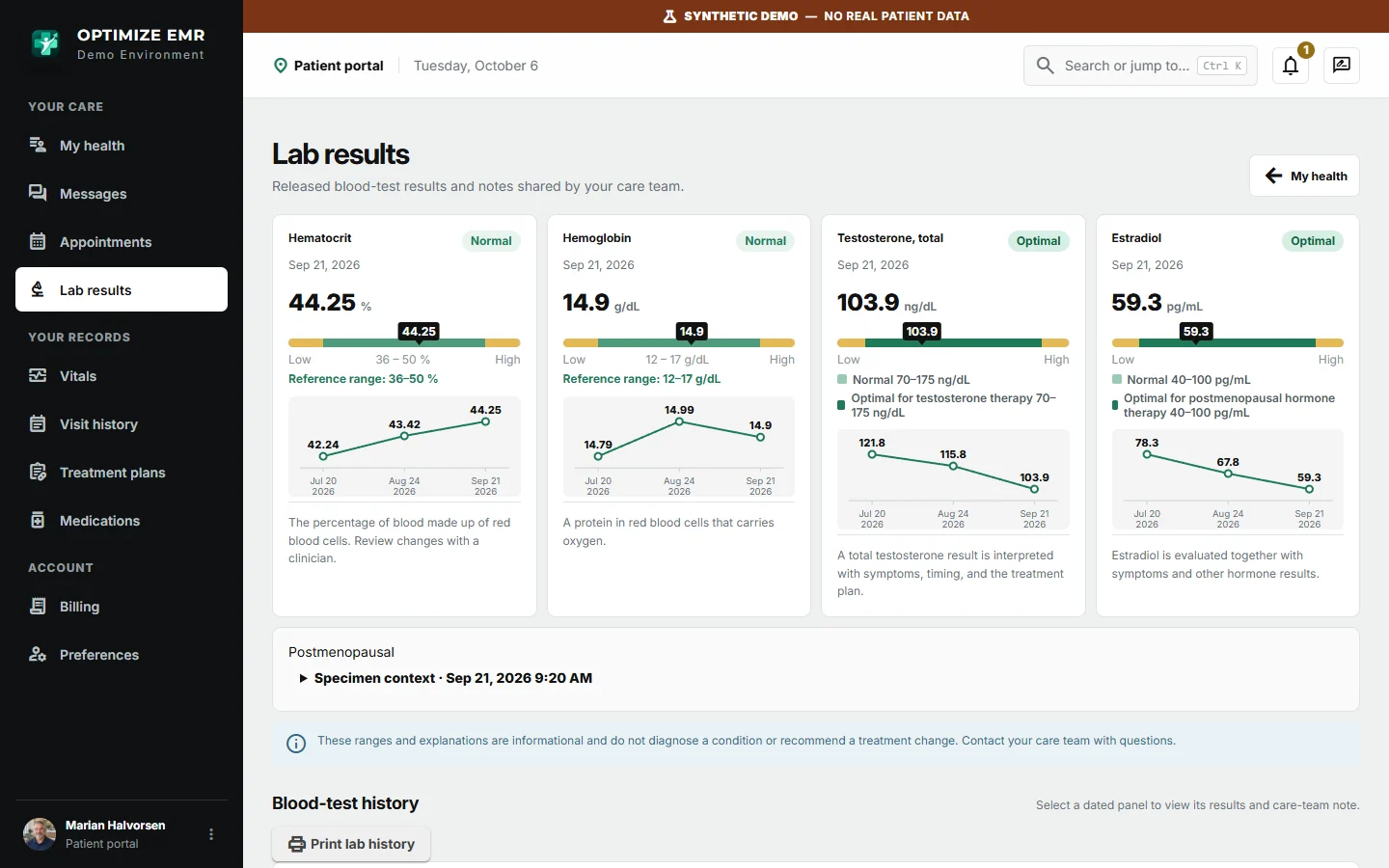
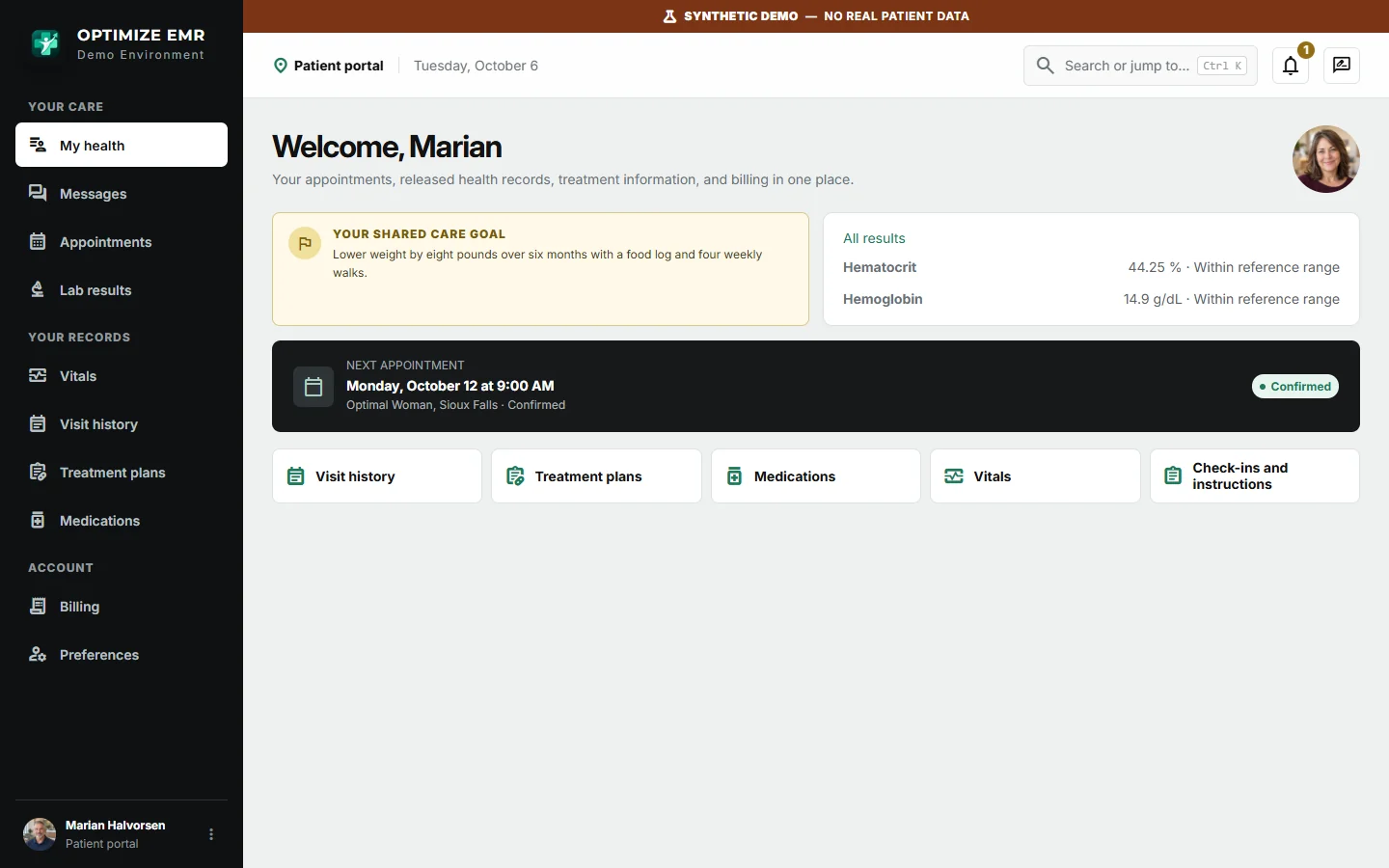
My Health brings together upcoming appointments, released results, treatment plans, and messages so patients can see what comes next and reach their clinic.
Actual product screen · Fictional demonstration data View full size ↗